How to Create a Vintage 3D Text Effect Design for Your Creative Projects
Vintage design aesthetics have made a powerful comeback in recent years, capturing the hearts of designers and audiences alike with their nostalgic charm and timeless appeal. One of the most popular elements within this trend is the vintage 3D text effect. This unique style combines the warmth and texture of retro typography with the dimensionality and depth of 3D effects, resulting in a visually striking design that stands out across various media platforms.
Understanding the Vintage 3D Text Effect Style
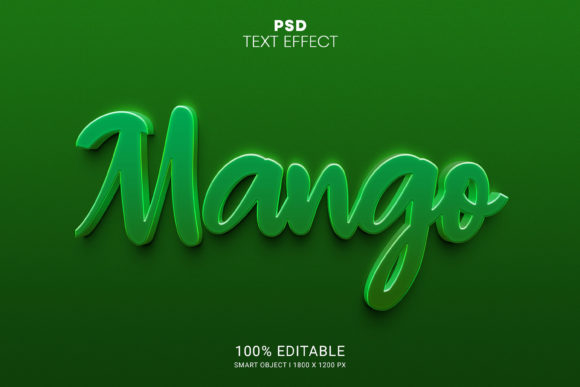
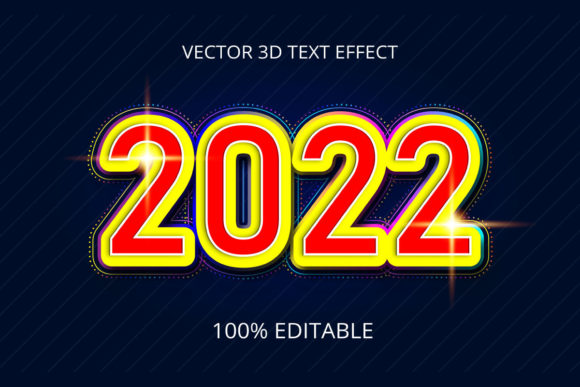
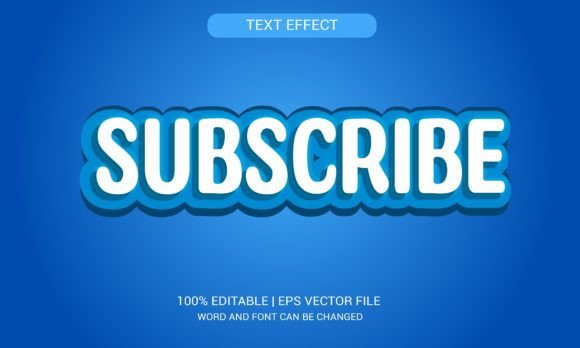
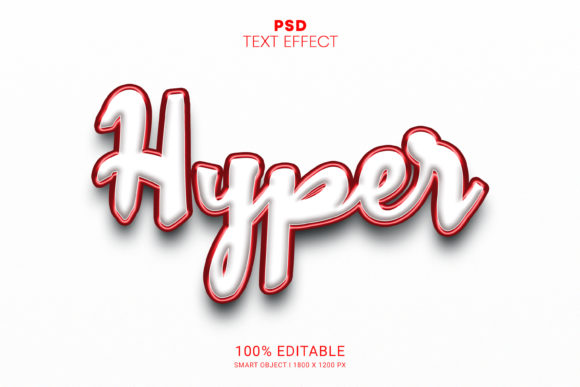
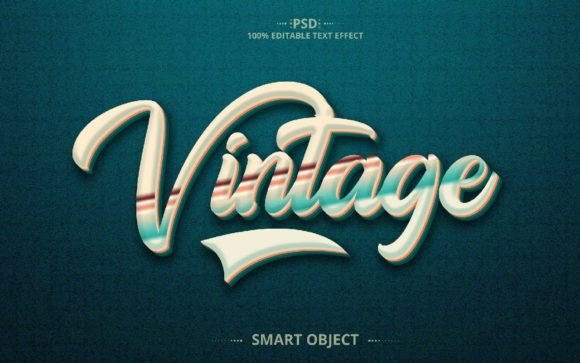
The vintage 3d text effect style is characterized by its use of distressed textures, muted color palettes, and subtle lighting to give the illusion of depth. Unlike modern 3D text effects that often rely on bright colors and sharp edges, vintage 3D text embraces a more subdued look, mimicking the appearance of aged paper, wood grain, or weathered stone. The result is a design that feels both artistic and authentic, as if it were pulled from an old book or poster.
This style is particularly popular in branding, packaging, and digital art where a sense of history and craftsmanship is desired. It's also commonly used in web design, social media graphics, and print materials like posters, flyers, and invitations to evoke a classic yet sophisticated vibe.
Why Use a Vintage 3D Text Effect?
Incorporating a vintage 3D text effect into your projects can serve multiple purposes:
- Emotional connection: Vintage designs often trigger feelings of nostalgia, which can be a powerful tool in marketing and storytelling.
- Visual uniqueness: With the right techniques, 3D text can add dimension and interest to otherwise flat compositions.
- Professional quality: A well-executed vintage 3D text effect can elevate the perceived value of your design work.
- Creative flexibility: These effects are fully customizable, allowing you to adapt them to different themes, fonts, and color schemes.
Getting Started with a Vintage 3D Text Effect PSD File
If you're new to creating vintage 3D text effects, using a pre-made PSD file is an excellent starting point. Many designers offer templates that are fully editable, making it easy for both beginners and professionals to customize the look without needing advanced skills. These files typically include smart object layers, so you can simply double-click to edit the text and apply the vintage 3D style instantly.
A typical package might include:
- One PSD file (Photoshop Document)
- One JPEG file (for quick preview or sharing)
- Resolution: 2000×1250 pixels at 300dpi
- Color mode: RGB for digital use
This setup ensures compatibility with a wide range of devices and platforms, whether you're designing for the web, mobile, or print.
What Makes a Vintage 3D Text Effect Fully Editable?
A truly editable vintage 3D text effect should allow you to change not only the text but also the colors, textures, and lighting. Here’s what to look for in a high-quality template:
- Smart objects: These let you modify the text without losing quality or disrupting the effect.
- Layer organization: Well-structured layers make it easier to tweak specific parts of the design, such as shadows, highlights, or background textures.
- Adjustable parameters: Some templates come with layer styles or adjustment layers that let you fine-tune contrast, saturation, and other visual aspects.
- Customizable backgrounds: Often included are vintage-style textures that you can replace or adjust to match your project’s theme.
Practical Uses of Vintage 3D Text Effects
Vintage 3D text effects are incredibly versatile and can be applied in a variety of creative contexts. Here are some common uses:
1. Branding and Logos
Many businesses use vintage-inspired designs to create a strong brand identity. For example, a craft beer company might incorporate a weathered 3D text logo into their packaging to suggest authenticity and tradition. These effects help communicate a brand’s story in a visually compelling way.
2. Web and App Design
On websites or mobile apps, vintage 3D text can be used to highlight key messages or calls to action. Imagine a travel website promoting a “retro road trip” with a headline styled in a vintage 3D font—it immediately sets the tone and draws users in with its eye-catching design.
3. Social Media Graphics
Social media is another area where these effects shine. Platforms like Instagram and Pinterest favor visually rich content, and a vintage 3D text graphic can stand out among the sea of standard posts. Whether you’re creating content for a fashion blog or a vintage car dealership, the right text effect can enhance your message and attract attention.
4. Print Materials
From brochures to posters, vintage 3D text works exceptionally well in print. The added depth and texture give printed pieces a tactile feel that digital-only designs sometimes lack. It's especially effective for events like weddings, music festivals, or antique fairs where a thematic design is essential.
Common Misconceptions About Vintage 3D Text Effects
Despite their popularity, there are a few myths and misunderstandings about vintage 3D text effects that are worth addressing:
- It’s only for retro-themed projects. While the vintage aesthetic is perfect for historical or nostalgic themes, it can also be adapted to suit minimalist or luxury designs by adjusting the textures and lighting.
- You need advanced Photoshop skills to use it. Thanks to smart objects and organized layers, even beginners can achieve professional results with minimal effort. Simply open the file, type your text, and save!
- These effects are outdated. On the contrary, they remain relevant due to their ability to blend traditional charm with modern design techniques. Their popularity shows no sign of fading.
Steps to Customize a Vintage 3D Text Effect
If you’ve purchased a vintage 3D text effect design, here’s a simple guide to customizing it effectively:
- Open the PSD file in Adobe Photoshop.
- Locate the smart object layer containing the text. Double-click to edit the font, size, and alignment.
- Change the text color or add gradients to match your project’s palette.
- Experiment with layer styles such as drop shadows, bevels, and embossing to enhance the 3D look.
- Replace or adjust the background texture for a more personalized touch.
- Export the final design in JPEG format for digital use or as a high-resolution PNG for print.
With these steps, you can quickly transform any text into a stunning vintage 3D masterpiece. The process is intuitive, thanks to the thoughtful layer structure and smart object integration found in many downloadable templates.
Where to Find High-Quality Vintage 3D Text Effect Files
There are several online marketplaces where you can find ready-to-use vintage 3D text effect files. Graphic River is one of the most trusted sources, offering a vast collection of professionally designed resources. When choosing a template, always look for the following features:
- Fully editable smart objects
- Well-organized layers
- Multiple file formats (like PSD and JPEG)
- Instructions or support from the designer
Some sellers even provide customization services if you need help tailoring the design to your specific needs. If you're unsure how to proceed, don’t hesitate to reach out via their profile page—most designers are happy to assist.
Enhancing Creativity with Vintage 3D Text
Using a vintage 3D text effect isn’t just about applying a trendy style—it’s also about unlocking new levels of creativity. These effects encourage experimentation with typography, layout, and color theory. You can pair them with other design elements like hand-drawn illustrations, analog photography, or sepia-toned images to create cohesive, vintage-themed compositions.
For example, try combining your 3D text with a faded parchment background and adding some subtle cracks or stains. Or, play with lighting angles to create a dramatic shadow effect that adds mystery to your design. The possibilities are endless when you understand how each component contributes to the overall vintage feel.
Integrating Vintage 3D Text into Modern Workflows
In today’s fast-paced digital world, efficiency is key. That’s why having a 100% editable vintage 3D text effect is invaluable. It allows you to streamline your design process while still producing high-quality visuals. Whether you're working on a tight deadline or managing a large volume of content, these templates can save you time and effort.
Moreover, they fit seamlessly into collaborative workflows. Since the files are well-organized and compatible with industry-standard tools like Photoshop, team members can easily access and modify them without causing confusion or errors.
Conclusion: Embrace the Nostalgic Power of Vintage 3D Text
Vintage 3D text effect designs are more than just a visual trend—they’re a bridge between past and present, combining the best of classic craftsmanship with modern technology. Whether you're a seasoned designer or just starting out, using these effects can help you create memorable, impactful designs that resonate with your audience.
Thanks to the availability of editable templates, you don’t need to master complex 3D modeling techniques to enjoy the benefits of this style. Simply download a high-quality PSD file, customize the text, and bring your ideas to life with ease. And remember, if you ever need assistance, many designers are willing to provide support through platforms like Graphic River.
So next time you're looking to add a touch of elegance and character to your design, consider the vintage 3D text effect. It’s a powerful tool that can help you stand out, tell stories, and connect with your audience in a meaningful way.